

How to Add or remove additional MFA options
Resetting MFA is simply removing and readding the MFA method.
We recommend setting up at least two methods, so you have backup in case one is unavailable.
How To Remove
1. Go to : https://compugroupmedicalinc.cyberresprod.com/
Enter your existing username without the emds\ (Ex: SS123.Test)

2. Enter same password for hosting

4. Select and click the method you want to remove.
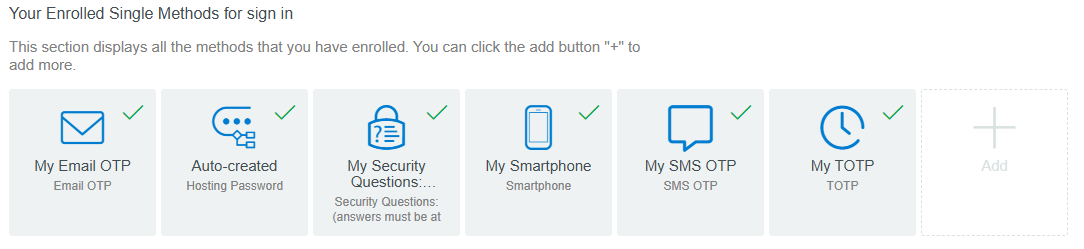
5. Click the trash icon to remove it like the example below.

How to Add:
6. Select to add a method you prefer. Click on “+” button (add) to add your preferred method again.
