

Ordering Products Again
Overview
The Order Again feature in quotes and orders enables you as our partner to quickly reorder previously purchased items, improving efficiency and convenience.
For this, an Order Again button is available on the Details Page of an order or quote, provided, the quote or order has not been canceled or rejected yet.
Ordering Products Again
1. To order products from specific quotes or orders again, navigate into the Quote or Order Details page.
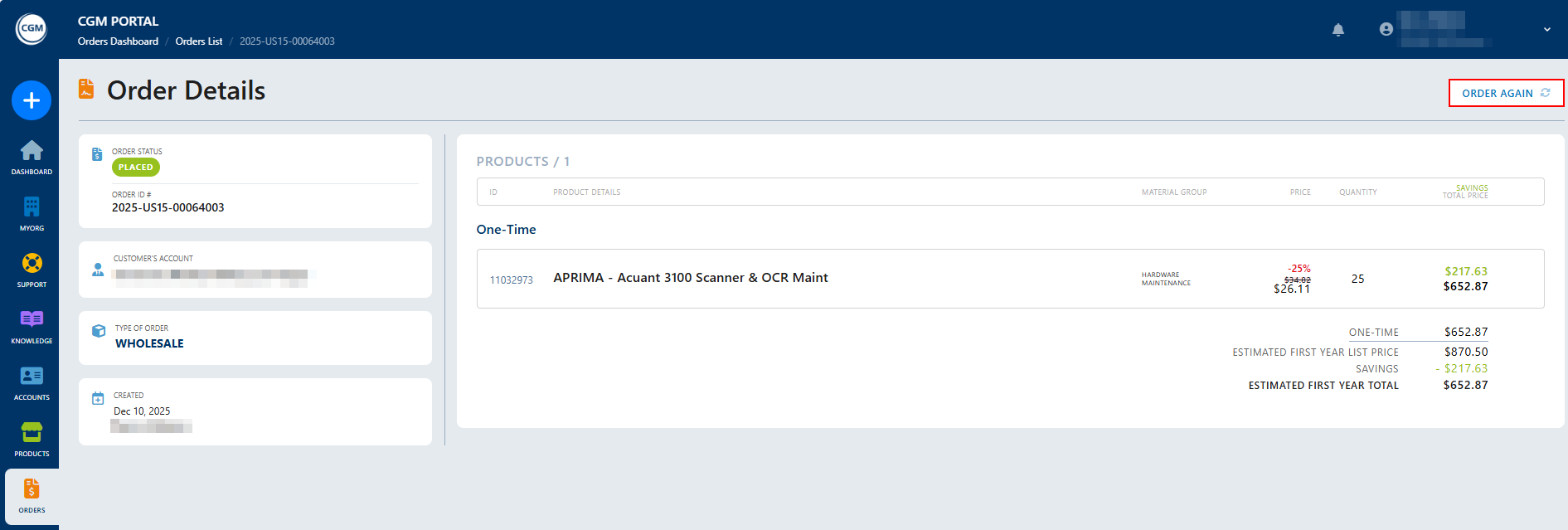
Once you click this button, the system will check if the products and quantities you want to reorder are available.
If all products are available with the ordered quantity:
- The order type is set automatically.
- The customer from the existing order or quote is selected.
- All products with the respective quantities are added to the cart.
- You will be directed to the Products overview where you can adjust quantities, remove items, or add new products.
- You can complete the Checkout process to create a new order or quote.

If only a part of the products or quantity is available, you will be notified about it in a popup. Here, you can decide if you want to continue the order of the available products and quantity. If you confirm:
- The available products are added to the cart.
- You will be directed to the Products overview where you can adjust the quote or order before proceeding to the Checkout and finalizing the order or quote.
If no products from the previous quote or order are available, you will be notified about it in a popup.
You can then start to create a new order or quote.